How to Redeem CQB Hell Codes
Roblox-style redeem flow, honesty about the current no-codes status, and fix tips.
Promo codes on Roblox games follow a familiar pattern: join the experience, open a Codes or Rewards panel, paste a string, and claim. CQB Hell by Killart Studios is no different in spirit, even though no confirmed active codes exist as of our latest research. This guide still matters. When a working code appears after an update, social drop, or milestone, you will already know the redeem flow, what can go wrong, and how to avoid scams.
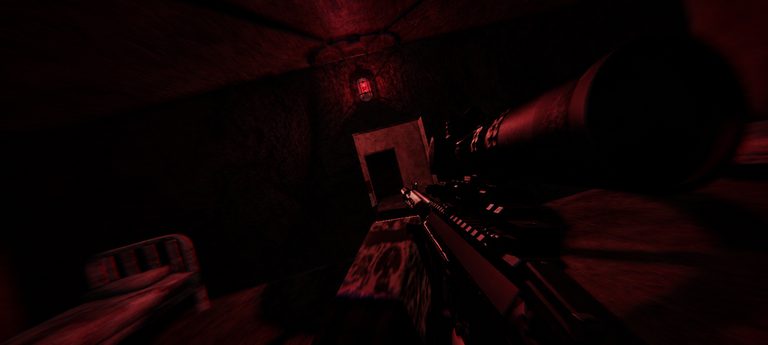
CQB Hell released March 14, 2025 as an online multiplayer PvE CQB shooter with random maps, aggressive AI, sandbox weapons and grenades, medkits, bosses such as Allik, and a shooting range that also supports PVP. Sessions run on PC, Xbox, and Mobile from the official place (103490024394750) under universe 7375463456. Codes, when they exist, are claimed inside that live session—not on a random third-party website.
Before you redeem anything
- Launch only from the official CQB Hell Roblox page.
- Confirm you are logged into the correct Roblox account.
- Check the Codes Hub for verified active strings. If the Active table is empty, there is nothing legitimate to redeem yet.
- Copy the code carefully. Roblox strings are usually case-sensitive and fail if you add spaces.
If a friend sends a “working code” screenshot, still verify it against this wiki or by testing once yourself. Do not share passwords, cookies, or account recovery codes with anyone claiming they can redeem for you.
Typical Roblox-style redeem steps
Killart may place the Codes button in a shop, settings, or rewards menu. The exact label can change after patches, but the flow below matches how most Roblox shooters handle promos:
- Press Play on the official experience and wait until you fully load into a session.
- Look for a Codes, Redeem, Gifts, or Rewards button on the HUD or pause menu.
- Open that panel and find a text field for entering a code.
- Paste the exact code from the Codes Hub list (when one exists).
- Confirm with Redeem, Submit, or Claim.
- Watch for a success toast or inventory update. If nothing appears, rejoin the server once and check again.
On Mobile, the Codes button can sit behind a compact menu icon. On Xbox, use the controller to highlight UI buttons carefully so you do not skip the text field. On PC, mouse click is usually the fastest path. For platform-specific movement and combat bindings while you practice after redeeming, see PC Controls, Mobile Controls, and Xbox Controls.
What to do while there are no active codes
Honesty beats fake lists. Right now we cannot give you a working string. Use that time productively:
- Finish a calm warm-up in the shooting range, including its PVP mode if you want aim pressure.
- Learn how medkits, grenades, and sandbox weapons fit your playstyle. Community videos often showcase the Musket, D-44 Carbine, and G19B—practice those without inventing damage numbers.
- Read Getting Started so your first random-map sessions are not wasted on bad positioning against aggressive AI.
- Watch Updates for patch notes that sometimes mention temporary gifts.
When Killart drops a real promo, return to the Codes Hub first, then use this page as the redeem checklist.
Troubleshooting failed redemptions
| Problem | Likely cause | Fix |
|---|---|---|
| Invalid code | Typo, expired string, or fake list | Re-copy from a verified source; check Codes Hub status |
| Already redeemed | One-time claim per account | Try a different code when available |
| No Codes button | UI moved, feature not live, or wrong place | Confirm you are on the official CQB Hell experience; rejoin after updates |
| Reward missing | Inventory sync delay | Soft rejoin; check bags/loadout menus again |
| Site asks for password | Scam | Leave immediately; never enter Roblox credentials off-platform |
Never install “code redeemers,” script hubs, or executors to claim gifts. Those tools are unrelated to official promo codes and put your account at risk. This wiki keeps Scripts content separate from Codes for that reason.
After a successful claim
Equip or spend the reward intentionally. A temporary kit should support map practice and boss prep, not replace fundamentals. Bosses such as Allik punish players who chase freebies without learning cover, reloads, and medkit timing. Cross-link your next session plan: warm up on the range, then jump into a multiplayer PvE map with a loadout you actually understand.
If a code gave a cosmetic, note that cosmetics do not change sandbox balance. We refuse to invent numeric weapon stats for Musket, D-44 Carbine, G19B, or any other gun. Judge weapons by feel in the range and in live fire against AI.
Sibling pages and next steps
- Codes Hub — live status table and scam warnings
- Getting Started — first-hour priorities after any reward claim
- Updates — where promo announcements often surface
Redeeming is simple when a real code exists. Until then, treat empty lists as a feature of honest coverage, not a missing page. Bookmark this guide, keep your Roblox account secure, and check back after Killart Studios ships the next content drop.
Frequently Asked Questions
Quick answers to the most common CQB Hell questions.
Can I redeem CQB Hell codes on the Roblox website?
Usually no. Most experience codes are redeemed inside the game UI after you join the official place. Use the in-session Codes or Rewards panel.
Why does this guide exist if there are no active codes?
So you already know the redeem flow, scam red flags, and troubleshooting steps the moment Killart publishes a working promo.
Do Mobile and Xbox use the same redeem menu?
The same feature should appear across platforms, but button placement can differ. Expand menus carefully on Mobile and use precise selection on Xbox.
What if a code worked for my friend but not for me?
It may be region-limited, already redeemed on your account, mistyped, or expired between attempts. Re-check the Codes Hub and try a clean copy-paste.
Are code rewards shared across PC, Xbox, and Mobile?
Roblox rewards are tied to your Roblox account. If you play CQB Hell on multiple devices with the same account, claimed rewards should follow that account.
Should I use scripts to auto-redeem codes?
No. Stick to the official UI. Third-party auto redeem tools are unsafe and unrelated to legitimate Killart promos.