CQB Hell Tier List Hub
Practical sandbox rankings for weapons, specials, loadouts, and utilities in Killart Studios CQB Hell.
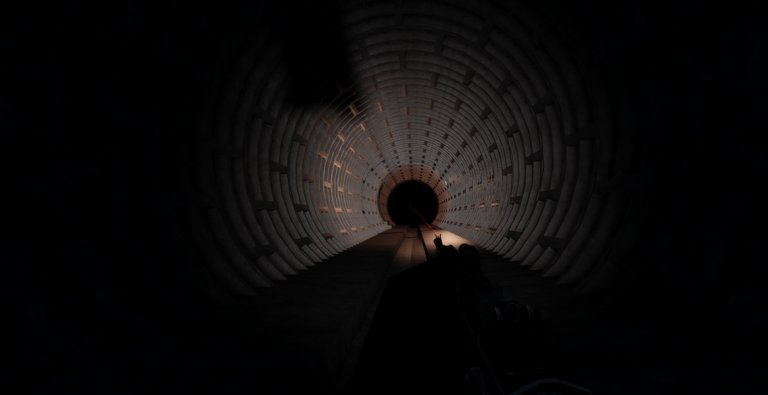
CQB Hell by Killart Studios is a Roblox PvE close-quarters shooter where sandbox weapons, grenades, and medkits matter more than spreadsheet myths. Released March 14, 2025, it runs online sessions on PC, Xbox, and Mobile with random maps, aggressive AI, boss pressure (Allik, Ascalon, Melnik, T14 Armata, Patsyuk, Kevin, Gunk, Sequoia, Ambush, Viper), and a shooting range that also supports PVP. This Tier List Hub ranks tools by how they feel in real rooms—not by invented damage-per-second tables.
Use this hub as the index for child pages: Weapons Tier List, Loadouts Tier List, Grenades & Medkits, Marketplace Specials, Event Weapons, Limited Event Weapons, and Contender. Cross-link back here whenever a patch changes feel so you always start from criteria instead of rumor.
How we rank without fake numbers
We refuse fabricated DPS, fire-rate charts, or magazine math that the game does not publish in a stable public API. Community videos already show playstyles with tools such as the Musket, D-44 Carbine, G19B, and Contender. Those names appear here as examples of deliberate single-shot work, mid-range carbine control, close-room handgun flexibility, and committed Contender peeks—not as permanent S-tier crowns.
Our tiers answer practical questions:
- Does the tool help you win doorways against aggressive AI?
- Can you recover after a miss without dying to the next push?
- Does it scale into boss rooms, or only into empty hallways?
- Is it friendly on Mobile and Xbox as well as PC?
- If it is a special or event gun, does it earn the third-gun or limited slot on purpose?
S-tier means reliable across random layouts. A-tier means strong when you play to its strengths. B-tier means situational. C-tier means learn-it-later or niche. F-tier is reserved for tools that actively fight your survival habits—we rarely use it because sandbox freedom changes with patches.
Start with weapons, then specials and loadouts
Open Weapons Tier List first if you only care about firearm feel. That page walks Musket, G19B, D-44 Carbine, and now points to Contender, marketplace specials, and event windows. Then read Contender when that named gun is your committed peek pick, Marketplace Specials for third-gun ownership and equip rules, and Event Weapons for limited-window ranking.
Next, open Loadouts Tier List to combine primary, backup, specials, grenades, and medkits into roles: entry clearer, mid-map stabilizer, and boss-room specialist. Utilities deserve their own page—Grenades & Medkits ranks when to deny a doorway, when to soft-clear a room, and when a heal is a reset versus a panic waste. Aggressive AI punishes players who blow every explosive on the first contact and then face a boss empty-handed.
Pair tiers with real practice
A tier list is a hypothesis until you test it. Use the Shooting Range (including its PVP option) to validate recoil comfort and peek timing. New players should still read Getting Started and Survive CQB before chasing meta labels. Boss hunters should cross-check Bosses and Allik Boss so a high-tier gun is not wasted on bad positioning.
If you prefer a pre-run checklist instead of rankings, open the Loadout Checklist under Tools. Rankings tell you what tends to work; checklists tell you whether you are ready for this specific session—including whether your special is equipped before join.
What changes this list
Killart Studios can rebalance sandbox tools, add specials (including planned boss exclusives), ship event guns, or tweak AI aggression. When that happens, we update child pages and keep this hub as the criteria page. Re-check Trench Warfare Update and Latest Patch Notes after themed or data-fix bumps. Codes are currently inactive—see the Codes Hub—so progression still comes from skill and loadout discipline, not promo gifts.
Photosensitive players should remember CQB Hell includes flashing lights and muzzle flashes. Adjust Roblox comfort settings before long ranking sessions on the range.
How to use this hub in five minutes
- Skim ranking criteria on this page.
- Check Weapons Tier List for firearm roles.
- Open Contender, Marketplace Specials, Event Weapons, or Limited Event Weapons if those slots matter today.
- Build a kit on Loadouts Tier List.
- Confirm utility plan on Grenades & Medkits, then validate on the range with Map Clearing habits.
CQB Hell rewards players who treat tiers as decision aids, not scripture. Random maps and aggressive AI will always create exceptions. Bookmark this Tier List Hub, revisit after patches, and keep sibling pages linked so your sandbox choices stay coherent across weapons, specials, loadouts, and utilities.
Frequently Asked Questions
Quick answers to the most common CQB Hell questions.
Do these tiers use official DPS numbers?
No. We rank by practical feel in CQB rooms and avoid inventing damage or fire-rate stats.
Which child page should I read first?
Start with Weapons Tier List, then Contender or Marketplace Specials if those slots matter, then Loadouts and Grenades & Medkits.
Are Musket, D-44, G19B, and Contender permanent S-tier?
They are community-visible examples used to explain roles. Live balance can change; re-test after updates.
Where do marketplace specials fit?
Specials are a third gun you equip before joining. See the Marketplace Specials page for drops, buys, and ownership rules.
Does the tier list cover Mobile and Xbox?
Yes. Criteria include whether a tool stays controllable on touch and controller, not only mouse aim.
Where do I practice a new pick?
Use the Shooting Range guide, including PVP pressure, before committing to boss runs.