CQB Hell Xbox Controls
Gamepad mapping and dead-zone tips for Killart Studios' Roblox CQB shooter on Xbox.
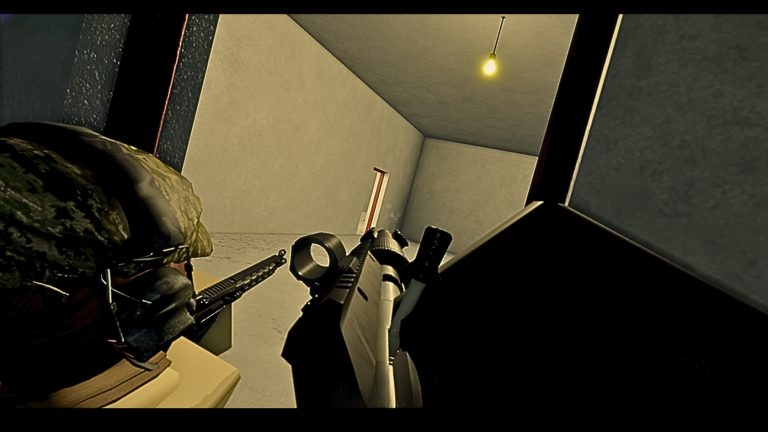
Xbox players clear the same CQB Hell sessions as PC and Mobile: randomized maps, aggressive AI, sandbox weapons, grenades, medkits, bosses like Allik, and a shooting range with PVP. The difference is the controller language—sticks, triggers, and bumpers. This page translates that language into practical CQB habits. Compare PC Controls and Mobile Controls when you hot-seat devices, and keep the Controls Hub handy for shared fundamentals.
CQB Hell launched March 14, 2025 on Roblox under Killart Studios. Join through the official experience (Place 103490024394750, Universe 7375463456). Roblox on Xbox uses gamepad prompts; exact face-button labels can shift after patches, so glance at the in-game legend when it appears.
Common gamepad baseline
Many Roblox shooters settle near this pattern. Verify inside your build:
| Action | Typical Xbox control | CQB tip |
|---|---|---|
| Move | Left stick | Feather the stick near doors; full tilt is for rotations |
| Look | Right stick | Lower sensitivity; raise dead zone only if drift exists |
| Shoot | RT | Trigger discipline beats panic holding |
| ADS / aim | LT | Hold before peeking tight angles |
| Jump | A | Avoid jump-peeking into stacked AI without a plan |
| Reload | X | Reload only after a room is temporarily clear |
| Sprint | Left stick click or LB | Sprint between cover nodes, not through unknown funnels |
| Crouch | B or right stick click | Stabilize shots at low cover |
| Switch weapon | Y or D-pad | Pre-select before entry |
| Grenade | LB / RB | Keep throwables off the heal button |
| Medkit / heal | D-pad or face combo | Practice until it is reflex |
| Menu | Menu / View | Close menus before engaging |
If your layout differs, photograph or note it once so squad callouts still make sense.
Stick aim for close quarters
Controller aim thrives on smooth tracking, not flick duels. In CQB Hell:
- Reduce look speed until you can drag across a doorway without overshooting a torso.
- Tune dead zones. Too high and micro-adjustments disappear; too low and stick drift peeks for you.
- Use ADS as a stabilizer when the weapon supports it, especially on mid-range hallway holds.
- Strafe with purpose. Left-stick circles help you exit a nade or AI rush without spinning the camera blindly.
Warm up against range targets while strafing figure-eights. Add range PVP when you want unpredictable lateral movement.
Triggers, bumpers, and utility
Aggressive AI packs punish players who fumble utility. On Xbox:
- Keep fire on RT so pressure curves feel natural.
- Bind grenades to a bumper you can hit while still aiming.
- Put medkits on a D-pad direction you will not confuse with emotes.
- Avoid duplicating critical actions on the same accidental double-tap.
Sandbox weapons featured in community videos—Musket, D-44 Carbine, G19B—should be learned by feel. We do not publish invented numeric damage or magazine stats. Ask in the range: how long can I track before the stick fights recoil bloom? How punishing is the reload if an AI flanks?
Boss and multiplayer pacing on controller
Bosses such as Allik compress mistakes. Controllers shine when you plan rotations: ADS peek, shoot, slide back to cover with the left stick, reload on X, heal only after the damage spike ends. Do not panic-sprint with click-stick if that motion also drops your aim. Call reloads to teammates if you play coordinated sessions so nobody swings an angle alone.
Online multiplayer means host or region latency can soften your shots. Pre-aim harder on Xbox when ping spikes; reactive flicks are less forgiving on sticks than on mouse.
Xbox setup checklist
- Charge or wire the pad; mid-boss disconnects end runs.
- Enable whatever Roblox vibration cues help you feel hits without drowning audio.
- Set TV game mode to cut display lag.
- Keep headset chat volume balanced so footsteps remain audible.
- Launch only from the official CQB Hell Roblox page.
New players should pair this page with Getting Started. For promos, the Codes Hub currently lists no confirmed active codes; How to Redeem Codes covers the menu path when gifts appear. Patch input notes land on Updates.
Troubleshooting gamepad issues
| Symptom | Likely fix |
|---|---|
| Stick drift peeks | Raise dead zone slightly; clean the stick housing |
| Slow turn speed | Increase look sensitivity in small steps after range tests |
| Accidental sprint clicks | Remap sprint away from stick click if the game allows |
| Trigger not firing | Confirm focus is in-game, not on a Roblox overlay |
| Soft lock in menus | Press B / Back to exit; avoid opening settings mid-fight |
Xbox is fully capable in CQB Hell when dead zones, trigger discipline, and utility binds are intentional. Drill in the shooting range, then take those habits into random PvE maps. Whenever you switch to keyboard or touch for a session, reread the PC and Mobile siblings so your fundamentals—not just your hardware—stay sharp.
Frequently Asked Questions
Quick answers to the most common CQB Hell questions.
Does CQB Hell support Xbox controllers natively?
Yes. CQB Hell is playable in online sessions on Xbox via Roblox with standard gamepad prompts. Confirm bindings in your session legend.
What sensitivity should I use on sticks?
Start lower than you think, then raise in small steps after range tracking tests. CQB doorways punish high look speed.
How do I separate grenades and medkits on a controller?
Put throwables on a bumper and heals on a distinct D-pad or face combination, then rehearse both in the shooting range.
Can I use this guide for a controller on PC?
Yes. The same gamepad logic applies. Adjust dead zones per device, then keep PC mouse tips bookmarked if you swap often.
Do bosses require different Xbox bindings?
No special boss binds are required. Allik and other bosses demand cleaner peeks, reloads, and heal timing with the same layout.
Where do Xbox players check for codes?
Use the Codes Hub for verified status. Redeem inside the game UI when a promo exists; there are no confirmed active codes as of research.