CQB Hell Mobile Tips
Touch and tablet tactics for Killart Studios’ PvE CQB shooter.
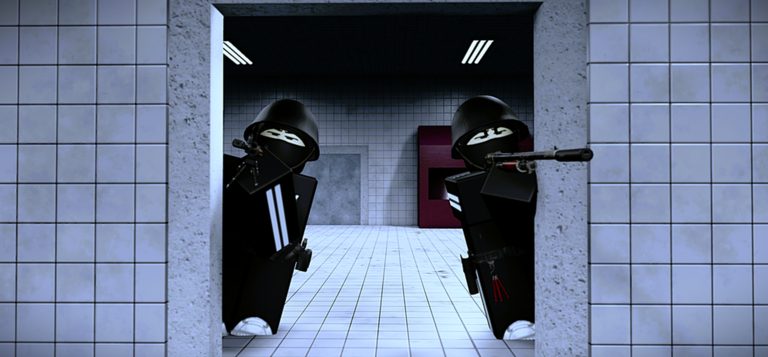
CQB Hell supports Mobile alongside PC and Xbox, which means the same aggressive PvE rules apply with a different input tax. This guide focuses on touch aim, UI reach, peek length, and how to keep grenades and medkits usable when you do not have a mouse. Read it with Getting Started and How to Play, then apply habits from Survive CQB.
Accept the Mobile contract
On Mobile, peeks should be shorter, swings smaller, and panic sprays rarer. You are playing the same random maps and bosses, but information gathers slower and fine aim costs more effort. Players who copy PC wide-swings on a phone donate their health bar. Play for reversible info.
UI and control hygiene
Before a serious session:
- Place fire, aim, heal, and grenade controls where your thumbs naturally rest.
- Confirm you can trigger a medkit without uncovering the entire right side of the screen blindly.
- Confirm grenade toss does not require a gymnastics swipe mid-fight.
- Lower visual clutter if muzzle flashes and intense effects overwhelm your device—CQB Hell warns about flashing lights.
- Warm up on the Shooting Range, including a bit of range PVP if you want stress practice.
If a control fights you on the range, it will betray you on a boss.
Aim and movement tips
- Pre-aim door centers before you expose
- Use micro-strafes instead of long analog swings
- Stop moving for the instant you need a precise first shot, then move again
- Prefer controlled bursts with carbine-style guns; snap pairs with G19B style tools in tight rooms
- Treat Musket as an advanced Mobile challenge—viable, but only with strict timing from Solo Bosses with Musket
Clearing on touch
Follow Map Clearing with Mobile modifiers:
- Clear fewer rooms per minute, but leave fewer mysteries behind you
- Take extra audio pauses at thresholds
- Avoid diagonal sprint entries that your thumbs cannot correct mid-air
- Reload only in fully owned pockets—Mobile reload fumbles in doorways are common wipe causes
Boss days on Mobile
Bosses compress timing. Arrive with medkits. Open from a short angle. Break contact earlier than your PC instincts suggest. For named fights, study Allik Boss and the general Bosses hub, then simplify the plan to three tiles: shot, mask, heal. Complexity dies on small screens.
Device and comfort
Stable internet matters for online sessions. Overheating throttles aim; remove a case if needed and take breaks. Headphones help more on Mobile because you cannot flick to every visual cue as fast. Photosensitive players should be especially careful with flashing muzzle effects on bright phone OLEDs.
Practice plan for Mobile mains
- Range: heal and grenade reach check
- Range: short peek accuracy block
- One slow clear graded on medkits remaining
- Optional range PVP round for pressure
- One boss attempt with a simple plan
- Review the Guides Hub for the skill that failed
Common Mobile failure modes
- UI covering the exact angle you need to see
- Holding fire while both thumbs are lost
- Chasing PC creators’ peek timings from videos without shortening them
- Skipping the range because “it is only Mobile”
- Entering Allik or other bosses with cold touch aim
Mobile is fully part of CQB Hell’s audience, not an afterthought. With shorter peeks, reachable utilities, and honest warm-ups, touch players clear random maps and contest bosses without needing fabricated stats—just discipline.
Cross-linking Mobile study
Mobile improvement is rarely one setting tweak. Rotate study across sibling guides: Shooting Range for input proof, Map Clearing for slower ownership of space, Survive CQB for shorter peeks, and boss pages only when utilities still remain. Keep the Guides Hub as your index when a wipe feels confusing rather than purely mechanical.
If you watch PC creators, translate their timings down. A peek that looks casual on mouse may be a full commitment on touch. Build your own pacing, then retest on the range after every UI change so you do not discover a broken heal button in a boss room. Discipline beats imitation on phones and tablets.
Frequently Asked Questions
Quick answers to the most common CQB Hell questions.
Is CQB Hell playable on Mobile?
Yes. Killart Studios lists Mobile support along with Xbox and PC for online sessions.
What is the biggest Mobile mistake?
Copying long PC peeks. Shorten exposures and prioritize reversible angles.
Should Mobile players use the shooting range?
Yes. Validate UI reach, aim timing, and optional PVP stress before live clears.
Can I solo bosses on Mobile?
Yes with a simple tile plan and reserved medkits. Musket solos need extra discipline.
Any comfort warnings for phone play?
The game includes flashing lights and muzzle flashes. Take breaks and adjust device brightness as needed.