CQB Hell Tools Hub
Practical prep utilities for sandbox kits, utilities, and boss-ready sessions.
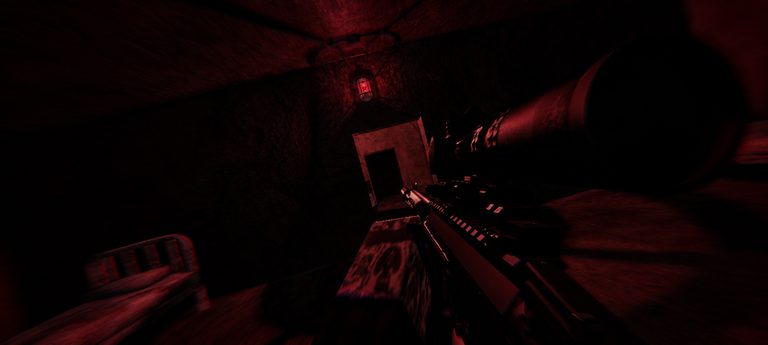
Guides teach ideas. Tier lists suggest roles. Tools help you execute before the matchmaking timer expires. This Tools Hub collects practical prep utilities for CQB Hell, the Killart Studios Roblox PvE CQB shooter released March 14, 2025. Online sessions on PC, Xbox, and Mobile throw random maps, aggressive AI, sandbox weapons, grenades, medkits, and bosses such as Allik at you—plus a shooting range with PVP when you need a clean drill space.
The flagship child page is the Loadout Checklist. Use it before ranked-feeling runs so you stop forgetting heal binds, grenade rules, photosensitive comfort settings, or boss intent. More interactive helpers can hang under this hub later; the checklist is the one you should open every session until the habits are automatic.
Why a tools section exists
CQB Hell punishes partial preparation. A great Musket clip on YouTube does not help if your medkit input is awkward on Xbox, or if you enter Allik with zero grenades because the first hallway ate them. Tools translate Loadouts Tier List theory into a yes/no gate.
They also reduce cheat temptation. When frustration spikes, players search scripts—see Scripts Hub for why that is a bad trade. A two-minute checklist is a healthier ritual than an executor install.
What to do on this hub
- Open Loadout Checklist and run the interactive checklist on that page.
- Cross-check firearm role on Weapons Tier List.
- Confirm utility spend rules on Grenades & Medkits.
- If you are rusty, warm up via Shooting Range.
- Only then launch a live clear with Map Clearing habits.
Session types the tools support
- Learning sessions: Pair the checklist with Getting Started and How to Play.
- Survival labs: Emphasize heal and denial items; keep Survive CQB open.
- Boss attempts: Mark boss intent on the checklist; refresh Bosses / Allik Boss.
- Aim labs: Checklist still matters—FOV comfort, platform input, and photosensitive settings affect range PVP too.
What these tools are not
They are not damage calculators. This wiki does not invent DPS. They are not code redeemers—codes are tracked on the Codes Hub and are currently inactive. They are not script menus. Official play only.
Related hubs
Bookmark this Tools Hub beside Guides and Tier List. When a patch lands, re-run the checklist even if your favorite gun “feels the same”—binds, utility rules, and boss goals drift more often than players admit. CQB Hell rewards the operator who prepared quietly before the first doorway went loud.
Make the checklist a habit even on “quick” sessions. Aggressive AI does not care that you only planned one room. Random maps will still offer a brutal seed. Boss doors still expect leftover utilities. A sixty-second pass on Loadout Checklist costs less than another wipe, and it keeps your sandbox identity—Musket precision, D-44 cadence, or G19B close work—aligned with the role you actually queued for.
Frequently Asked Questions
Quick answers to the most common CQB Hell questions.
Which tool should I use first?
Start with the Loadout Checklist before serious map or boss sessions.
Do tools replace guides?
No. Tools gate readiness; guides teach the skills you still need in rooms.
Is there a DPS calculator?
No. We avoid fabricated combat stats and focus on prep checklists and roles.
Can the checklist help Mobile players?
Yes. It includes platform and comfort prompts that matter on touch.
When should I re-run tools after an update?
After any place update or whenever your deaths cluster around utilities or binds—see the Updates Hub.