CQB Hell Guides Hub
PvE close-quarters guides for random maps, aggressive AI, bosses, and the shooting range.
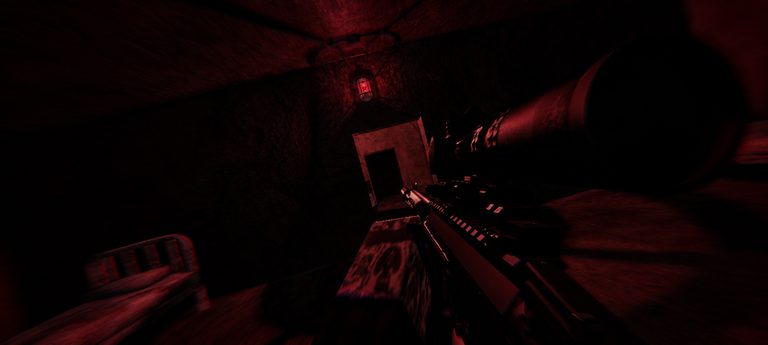
CQB Hell by Killart Studios is a Roblox PvE close-quarters shooter where every online session feels different. Maps randomize, AI pushes hard into doorways and corners, and your sandbox loadout—firearms, grenades, and medkits—decides whether you clear rooms or get deleted in a hallway. This Guides Hub is the index for every walkthrough on the wiki. Use it to jump from first-session basics into boss fights, map clearing habits, shooting-range practice, and mobile-specific tips.
Released March 14, 2025, CQB Hell supports PC, Xbox, and Mobile in online sessions. The core loop is simple to describe and hard to master: spawn into a hostile layout, clear rooms without overextending, manage heals and explosives, then survive boss pressure when the map escalates. There is also a shooting range that includes PVP, so aim training and friendly (or not-so-friendly) duels live alongside the PvE campaign.
Start here if you are new
If this is your first hour, open Getting Started for join flow, loadout mindset, and early session goals. Pair it with How to Play for the practical loop—how rooms, AI aggression, and sandbox tools interact. Then read Survive CQB before you try to play hero on open angles.
New players often ignore practice tools. Visit the Shooting Range early so recoil feel, hipfire comfort, and grenade arcs are not mysteries when a boss spawns. Mobile players should bookmark Mobile Tips so UI and touch aiming do not sabotage otherwise good decisions.
Boss and endgame paths
Boss fights are the spike content. Start with the overview in Bosses, then deep-dive named plans: Allik Boss, Ascalon Boss, Melnik Boss, T14 Armata Boss, Patsyuk Boss, Kevin Boss, Gunk Boss, Sequoia Boss, Ambush Boss, and Viper Boss. If you prefer high-commitment single-shot play, Solo Bosses with Musket covers spacing, reload discipline, and cover habits without inventing fake damage numbers. For trench-themed layouts, read Trench Map Solo alongside Trench Warfare Update.
Loadouts, specials, and updates
Sandbox language on this wiki includes Musket, D-44 Carbine, G19B, and Contender as playstyle examples—not spreadsheet kings. Permanent special weapons can occupy a third gun slot; you can buy them on the marketplace or secure drops from NPC enemies. Listing a special for sale removes ownership, so treat sales as permanent decisions. Future boss-exclusive specials are planned by the live game direction—verify in-session. For shopping and ranking context, open Marketplace Specials, Event Weapons, Limited Event Weapons, and Contender. When patch feel shifts, read Latest Patch and Trench Warfare, then return here for the skill loop that still matters.
Low graphics settings can make world drops easier to see during clears. Warm up aim before you ego-challenge a boss door.
Map and clearing craft
Random layouts punish sprinting down every corridor. Map Clearing focuses on room order, corner discipline, and when to use grenades or medkits so you do not waste resources before a boss door. Cross-link back to survival and how-to pages when a tip overlaps; the wiki is designed so sibling guides reinforce each other instead of repeating filler.
How to use this hub
- Read Getting Started once, then keep How to Play open as a reference.
- Drill fundamentals on the Shooting Range, including the PVP option if you want pressure practice.
- Build habits with Survive CQB and Map Clearing.
- Graduate into Bosses, then named pages such as Allik Boss, Melnik Boss, T14 Armata Boss, Sequoia Boss, Ambush Boss, Viper Boss, and Solo Bosses with Musket.
- When you care about third-slot specials, limited events, or patch notes, branch to Marketplace Specials, Limited Event Weapons, Event Weapons, Contender, Latest Patch, Trench Warfare, and Trench Map Solo.
- If you play on touch or controller-on-the-go, finish with Mobile Tips.
What this wiki will not do
We do not invent weapon DPS charts or fake patch numbers. Known sandbox examples from community videos are discussed as playstyle tools. Always verify live balance in-game. CQB Hell also includes flashing lights and muzzle flashes; if you are photosensitive, review Roblox comfort settings and play carefully.
Related wiki sections
After guides, check codes, scripts, tier lists, and updates elsewhere on the site. For pure gameplay improvement, stay inside this Guides Hub and rotate through the child pages above. Every guide page includes FAQs for quick answers and internal links with trailing slashes so navigation stays consistent across locales later.
Keep sessions short when learning: one clear focused on survival, one range drill, one boss attempt. That rhythm beats grinding deaths into the same hallway. Bookmark this hub, then pick the next child guide that matches your current failure mode—aim, clearing, flanks, or boss timing.
Treat every doorway as a decision. Aggressive AI in CQB Hell rewards players who clear with patience, save utilities for real problems, and practice before they ego-challenge a boss. Use this hub as your table of contents whenever a patch changes feel or you return after a break—start again at Getting Started if muscle memory is gone, or jump straight to Bosses if you only need the spike content refresher.
Frequently Asked Questions
Quick answers to the most common CQB Hell questions.
Where should absolute beginners start?
Begin with Getting Started, then How to Play and Survive CQB before attempting named boss pages.
Does CQB Hell support Mobile and Xbox?
Yes. Killart Studios lists Xbox and Mobile support alongside PC for online sessions.
Which boss guides are on the wiki?
Allik, Ascalon, Melnik, T14 Armata, Patsyuk, Kevin, Gunk, Sequoia, Ambush, and Viper each have dedicated guides, plus Musket solo and the Bosses hub.
Is the shooting range only for PvE practice?
No. The shooting range includes PVP, so you can practice aim under player pressure as well as static drills.
Are weapon damage numbers listed on this wiki?
No. We avoid fabricated DPS. Use in-game feel and examples like Musket, D-44 Carbine, G19B, and Contender instead.
When was CQB Hell released?
CQB Hell released on March 14, 2025 as a Roblox PvE CQB shooter by Killart Studios.