CQB Hell Latest Patch Notes
How to handle “game got updated” moments—reconnect, data fixes, and a calm re-check list.
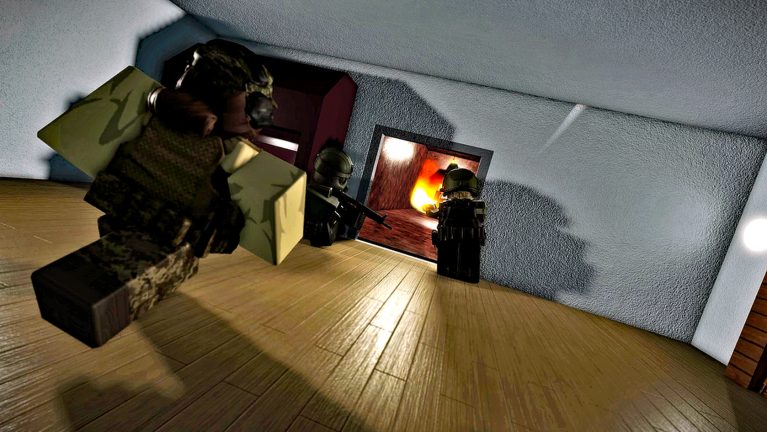
When Roblox shows that CQB Hell “got updated,” most players need a process more than a rumor transcript. Killart Studios’ online PvE CQB shooter—released March 14, 2025 on PC, Xbox, and Mobile—ships quiet client tweaks, occasional feature drops, and sometimes blunt titles that mention DATA FIX or milestone context such as 10M visits. This page teaches how to approach those patches without inventing damage charts, installing unsafe “fix” scripts, or throwing away a working loadout.
Pair this guide with the Updates Hub, the baseline CQB Hell Review, and themed combat changes like Trench Warfare Update.
Read the title, then verify in-place
Place titles and social blurbs are marketing-adjacent. A string that mentions DATA FIX usually means reconnect stability, save/progression hiccups, or session join errors—not a secret Contender buff. A 10M visits celebration means the experience is healthy and visible; it does not rewrite doorway physics by itself. Always launch the official experience from the Links Hub and confirm what you feel in a short range session before rewriting your tier notes.
Reconnect and data-fix habits
- Fully leave the experience and rejoin from the official Roblox page—not a third-party mirror.
- If a friend teleport fails, rejoin the place alone first, then regroup.
- After a data-fix titled update, confirm your loadout, specials, and settings still match the Loadout Checklist.
- If a marketplace special is missing from the special weapon menu, do not list or rebuy in panic—rejoin once, check inventory, then consult Marketplace Specials ownership rules.
- Never run an executor “to restore data.” That path risks the account—see Scripts Hub.
Low graphic mode can still help spot NPC drops while you re-stabilize after a patch, but it is not a data repair tool.
What to re-check after every patch (ten minutes)
| Step | Where | Why |
|---|---|---|
| 1 | Shooting Range | Feel recoil, peeks, and optional PVP pressure |
| 2 | Weapons Tier List | Confirm Musket / G19B / D-44 hypotheses |
| 3 | Contender | If Contender is your committed peek gun |
| 4 | Loadouts Tier List | Role still matches random map pressure |
| 5 | Grenades & Medkits | Utility timing still honest |
| 6 | Survive CQB / Map Clearing | Doorway deaths after the bump |
| 7 | Bosses | Spike rooms if that is your goal tonight |
If the patch week also shipped trench-style pressure, prioritize Trench Warfare Update before ego boss attempts.
Milestone context without hype
Hitting large visit milestones (including messaging around 10M visits) usually brings more new players into the same online sessions. That means denser social noise, more range PVP ego, and more fake “codes dropped for 10M” posts. Check the Codes Hub—inactive unless Killart verifies a string. Teach newcomers Getting Started and How to Play instead of selling them script promises.
Platform and comfort re-checks
- PC: Confirm keybinds still match PC Controls.
- Xbox: Re-test aim feel on Xbox Controls.
- Mobile: Re-read Mobile Tips if touch UI shifted.
- Photosensitivity: Flashing lights and muzzle flashes remain; revisit comfort settings after client updates.
Event and special inventory after patches
Patches sometimes reshuffle menus. Before a run:
- Equip specials from the special weapon menu—see Marketplace Specials.
- Confirm event tools are still available or correctly retired—see Event Weapons.
- Remember: using a special does not consume it; listing it for sale removes ownership permanently.
Rumor triage
After DATA FIX or visit-milestone updates, expect claims that guns were deleted, bosses were removed, or only scripts can “unlock” progress. Verify in the live place. Describe symptoms accurately (“reconnect loop on join”) instead of inventing balance percentages. Keep Tier List Hub criteria stable even when social feeds are loud.
Related reading
Treat every “game got updated” banner as a short QA pass: rejoin cleanly, confirm data and specials, spend ten minutes on the range, then re-enter live maps with your linked guides. CQB Hell’s identity—random maps, aggressive AI, sandbox loadouts—survives most patches; your calm checklist is what converts a scary title into a normal session.
Frequently Asked Questions
Quick answers to the most common CQB Hell questions.
What should I do first when CQB Hell shows an update?
Rejoin from the official Roblox page, confirm your loadout and specials, then warm up on the Shooting Range.
What does a DATA FIX title usually mean?
It usually points to reconnect, join, or progression stability—not a hidden DPS rewrite. Verify feel in-place.
Why mention 10M visits?
Visit milestones explain more new players and more rumor traffic. They do not replace your re-check checklist.
Can scripts repair missing data after a patch?
No. Avoid executors. Use official rejoins and the Scripts Hub for literacy only.
What pages should I re-read after a balance rumor?
Weapons Tier List, Loadouts, Survive CQB, and Bosses if spike content was mentioned.
Where is the trench-pressure update covered?
Open the Trench Warfare Update child page linked from the Updates Hub.